
The Scheduling tab displays a visual schedule for a project. Here, you can:
- View the project phase or key deliverables especially if you are working on multiple projects.
- Edit start and finish dates or duration and instantly see the effect on the project schedule.
- Filter project schedule information using one or more criteria, such as office/organization, project manager, principal, or phase type.
View projects based on a criteria
You can filter a project schedule by Office/Organization, Project Manager, PIC or Phase Type. For example, you may want to view all project phases and deliverables for your contracts.
To view projects by phase type:
- Click the Schedule tab.
- From the filter pane, under Phase Type, tick Contract Documents and Contract Administration.
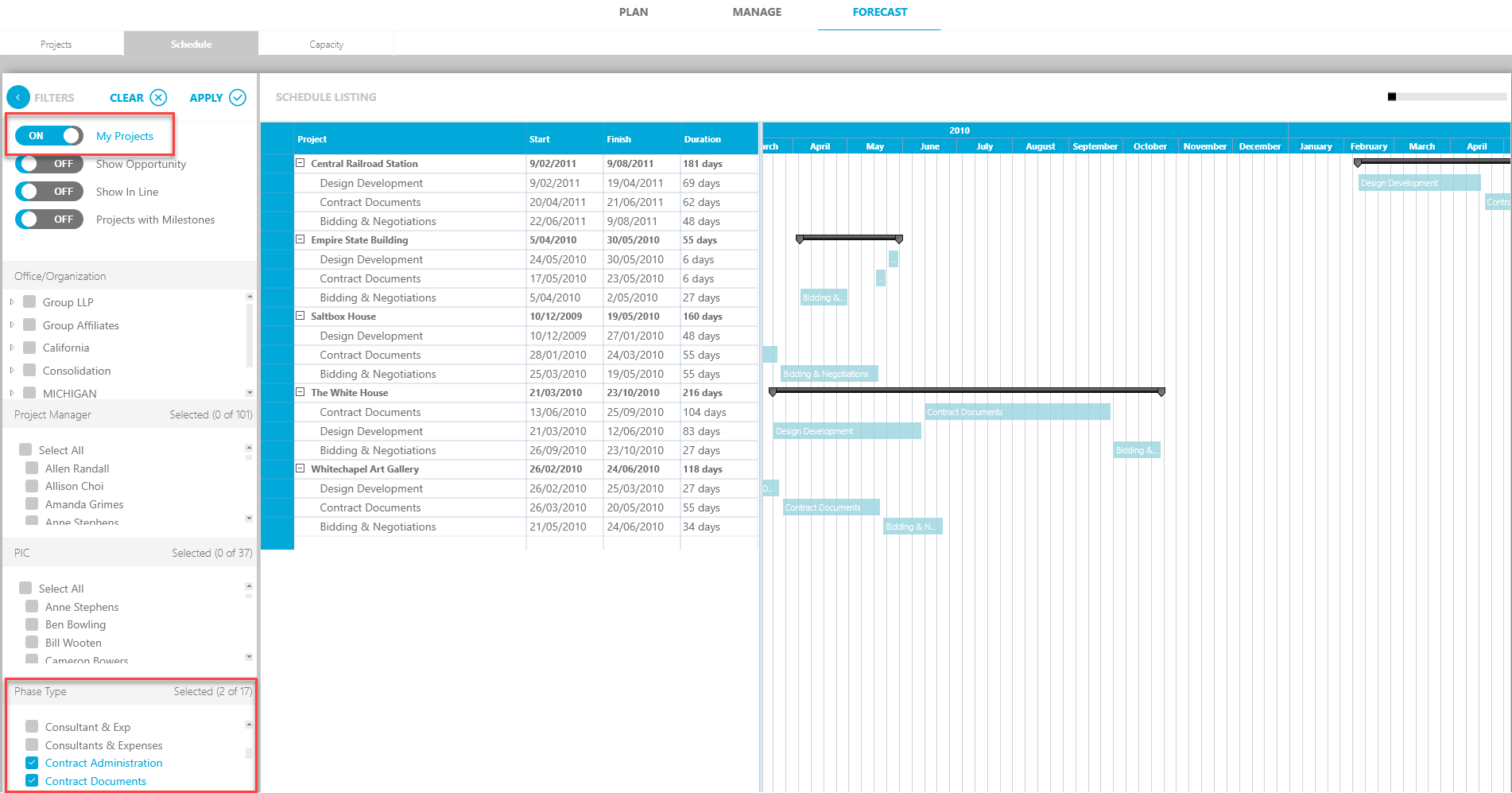
- Click Apply to apply your criteria.
The project list now displays project phases and key deliverables for the selected phase types.
To clear your selections, uncheck the Contract Documents and Contract Administration boxes or click Clear.