
This topic explains information on some of the more common tasks you will undertake as a project principal.
A principal is responsible for a type of project or line of business, such as Construction, Health Care, or Education. Typically, a principal is the owner of a project.
Essentially, this role includes
- Reporting
- Limited planning
Staff availability
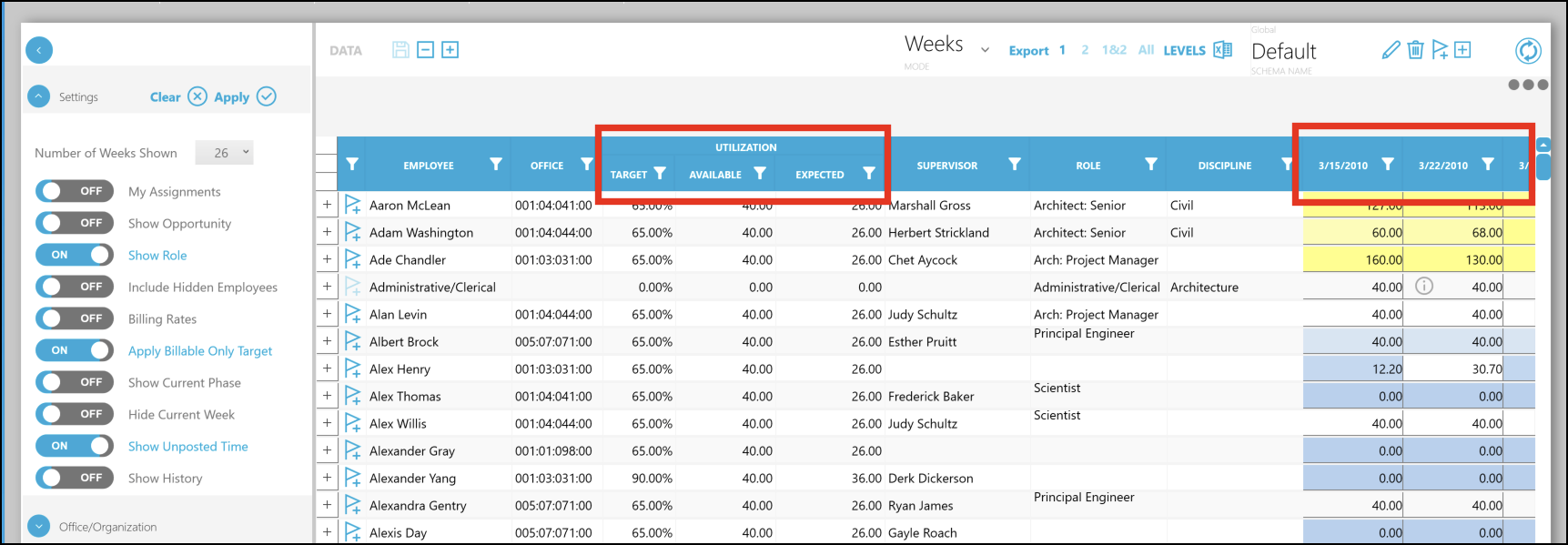
It's easy to discover the extent of availability for each of your staff. In Manage > Assignments tab, you can readily view assignments, roles, utilization, and start/end dates.
Follow these steps to view staff availability:
- On Manage tab, click Assignments.
- In the Filter pane on the left, click the small drop-arrow for Settings, then choose the Number of Weeks you want to view availability. The default is 26 weeks.
- If you toggle Show Role to ON, it will also display the roles in addition to actual staff, assigned to projects.
- Click Apply and wait for a moment for the grid to reflect your changes.
- Review the Target, Available, and Expected utilization, and the Role for each Employee.
- Use the horizontal scrollbar at the bottom to scroll the grid to the right and view specific availability for each week.
Billing Projections
A typical question for a project principal goes like this: How much are we planning to bill across my projects in the next 2-4 months? 12 months?
On the Billing Projection tab, you can quickly find information on your current and upcoming billings for each of your projects for a specific period. The Billing Projections tab summarizes the billing forecasts for each project across the entire organization the next 12, 24, and 36 months.
To view your billing projections:
- On Manage tab, click Billing Projections.
- On the Filter pane, click the small drop-arrow for Settings, toggle My Projects and Active Projects to ON. A list of projects display in the Project pane.
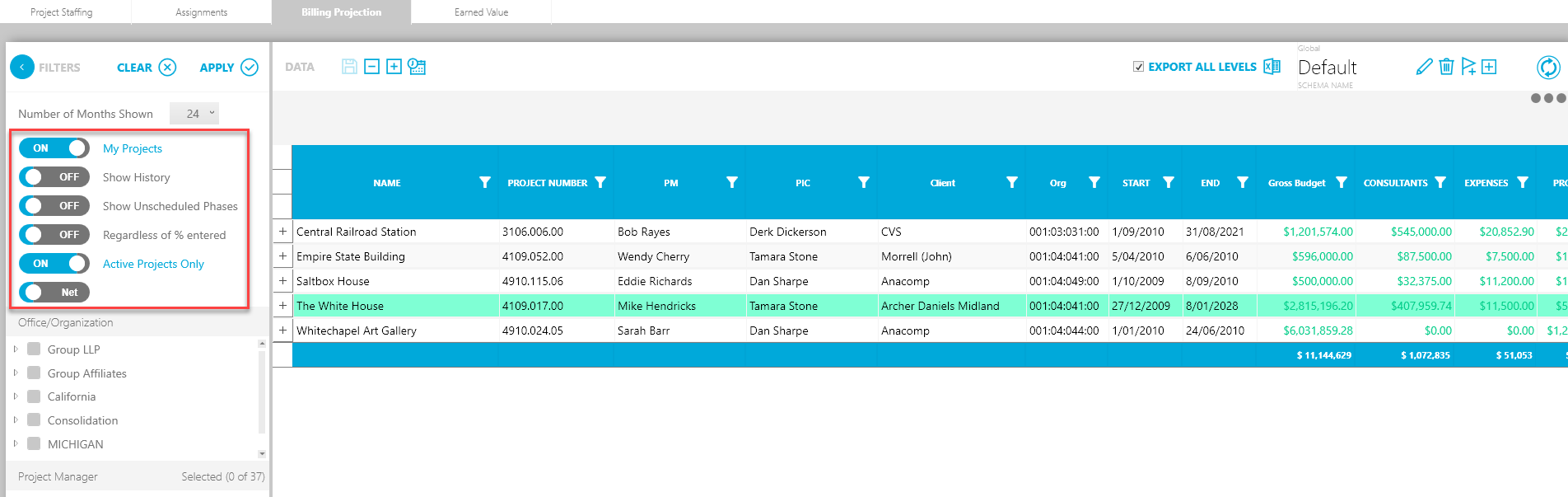
- Select the months from the drop-down to view project billings for the specified period. For example, 24 and click Apply. The Project pane is refreshed with project information for this period.
The Project pane displays the following columns (these can be customized) that show the billing projections:
- Gross Budget - The budget (in dollars) assigned to the phase.
- Billed (Net) Not Projected - The budget not projected towards the project.
- Billed - The total amount of billing posted for an identified fee or labor (hourly) billing in the accounting system.
- Unbilled - The remaining unbilled amount for the phase.
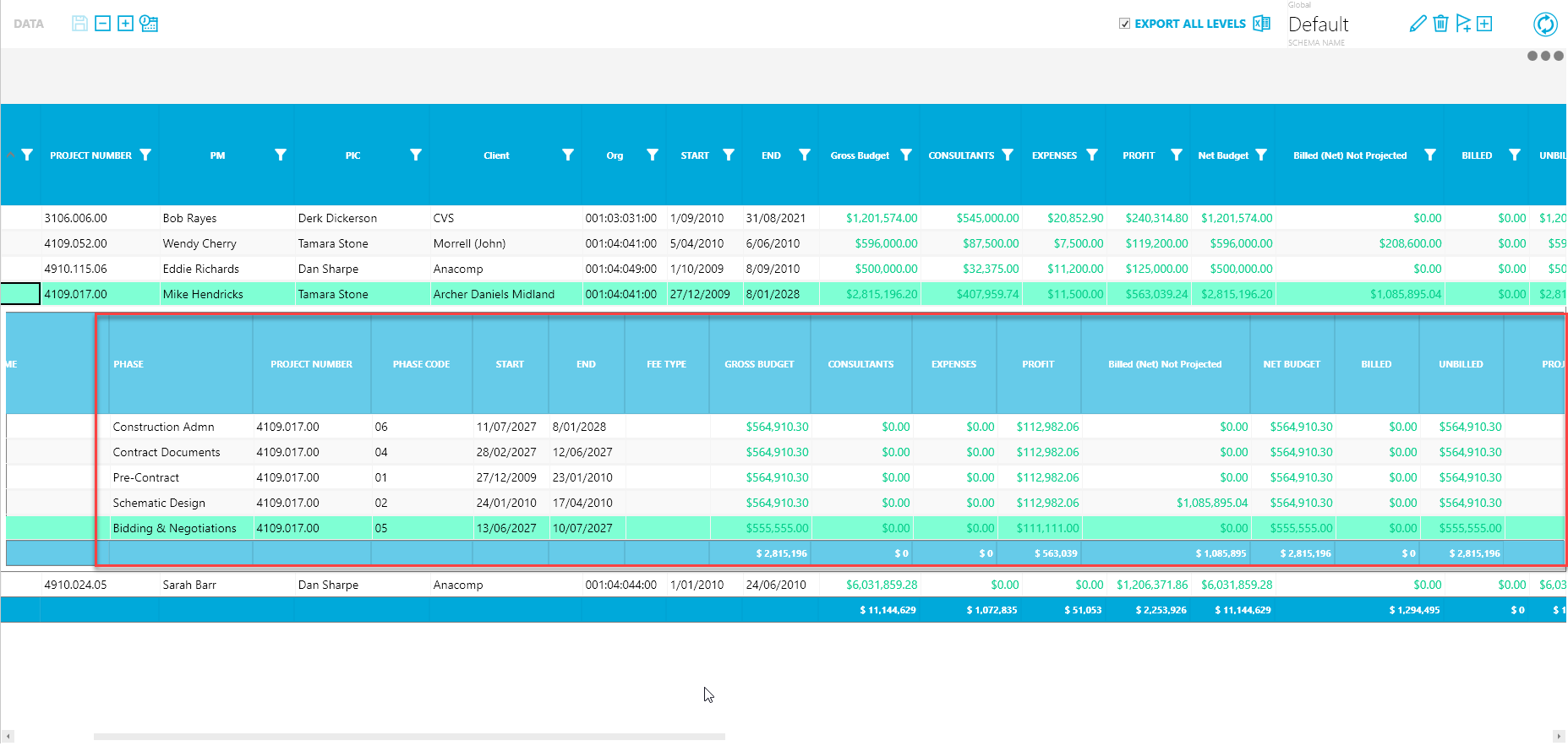
If you scroll across to the right, you will see the billing projections over the span of the project. Monthly columns display projected billing going forward two years. The current month and next month are calculated based on the values entered in the Billing Tab. The remaining periods are calculated proportionally. For example a $100,000 fee with 10 months remaining will display $10,000 each month.
Use the Projects tab to view planned revenue for a specific client.
To view planned revenue:
- On the Forecast tab, click Projects.
- On the Filter pane, toggle the My Projects and Active projects options to view only your active projects. A list of projects display in the Project pane.