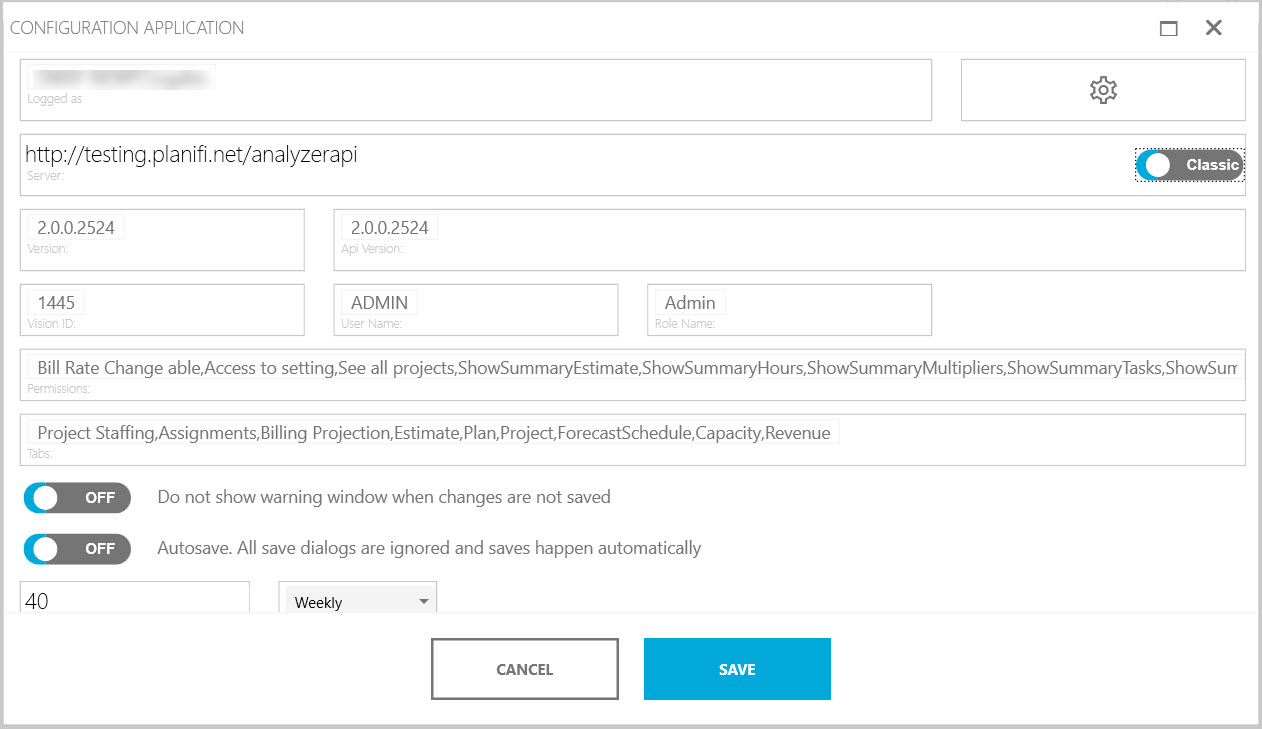
You can review and edit the configuration of the Visual Planning application. In the upper-right corner, click the computer name\userid.
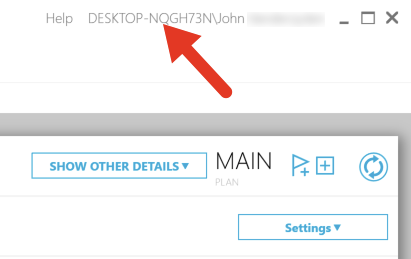
You can review information and make changes in Configuration popup window. Click the Save button to commit any changes.
- Logged as: Computer name\user you are logged in to.
- Version: The current version of the application.
- Server: Server details (URL)
- Classic/Azure: Your current setup. If you are using the desktop version, it will display Classic. If you are on a cloud version, it will display Azure.
- Tenant ID (applies to Azure only): Tenant details applicable to your login.
- Client ID (applies to Azure only): Client id applicable to your login.
- Version: The current version of the application.
- Api version: The current API version for the application.
- Vision ID: Your Deltek vision ID, if applicable.
- User Name: The user name you are logged in as.
- Role Name: The role assigned to your user name.
- Permissions: Permissions applicable to your user name and role.
- Tabs: The tabs that are visible to you, depending on your user name and role.