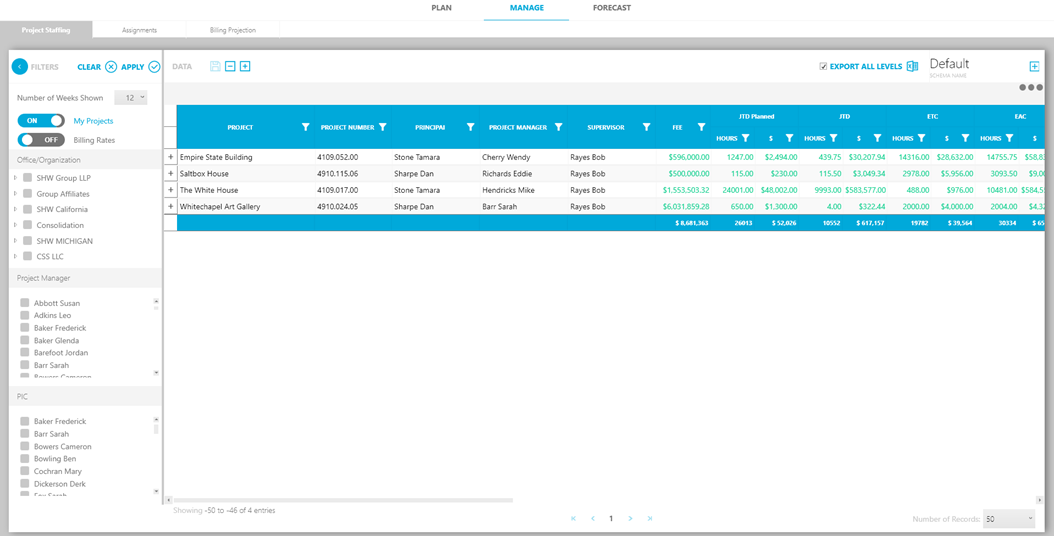
In this sub-tab, you can track labor utilization and analyze the extent to which resources have been efficiently assigned.
Follow these steps to view staffing for your projects:
- Select your filter settings.
- Select your filter criteria such as office, project manager or person-in-charge.
- Click Apply in the Filter pane.
A list of projects matching the filter criteria will appear in the main panel.
You can se resource information and resource assignments for each week across all projects (regular, overhead and promotional)—and any opportunities that have been planned.