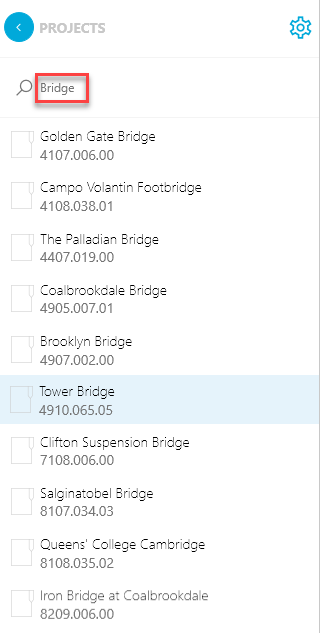
The Projects list will display a list of projects that correspond to the criteria in the Filter pane. If there is no filter criteria have been applied, the list displays all of the projects in the system.
| Note: One additional constraint on the Projects list is that you will only see projects for which you are authorized by your organization. For example, a Principal may see more projects in the list as compared to a Project Manager. |
Searching for projects
To search for a one or more projects, begin typing the project name or project number into the search field—which is not case-sensitive. Only projects that matching your search criteria will appear in the list.
Example: To search for all projects containing "bridge", enter "bridge" into the search field and press the Enter key. The Projects list display only projects having "bridge" in the title.