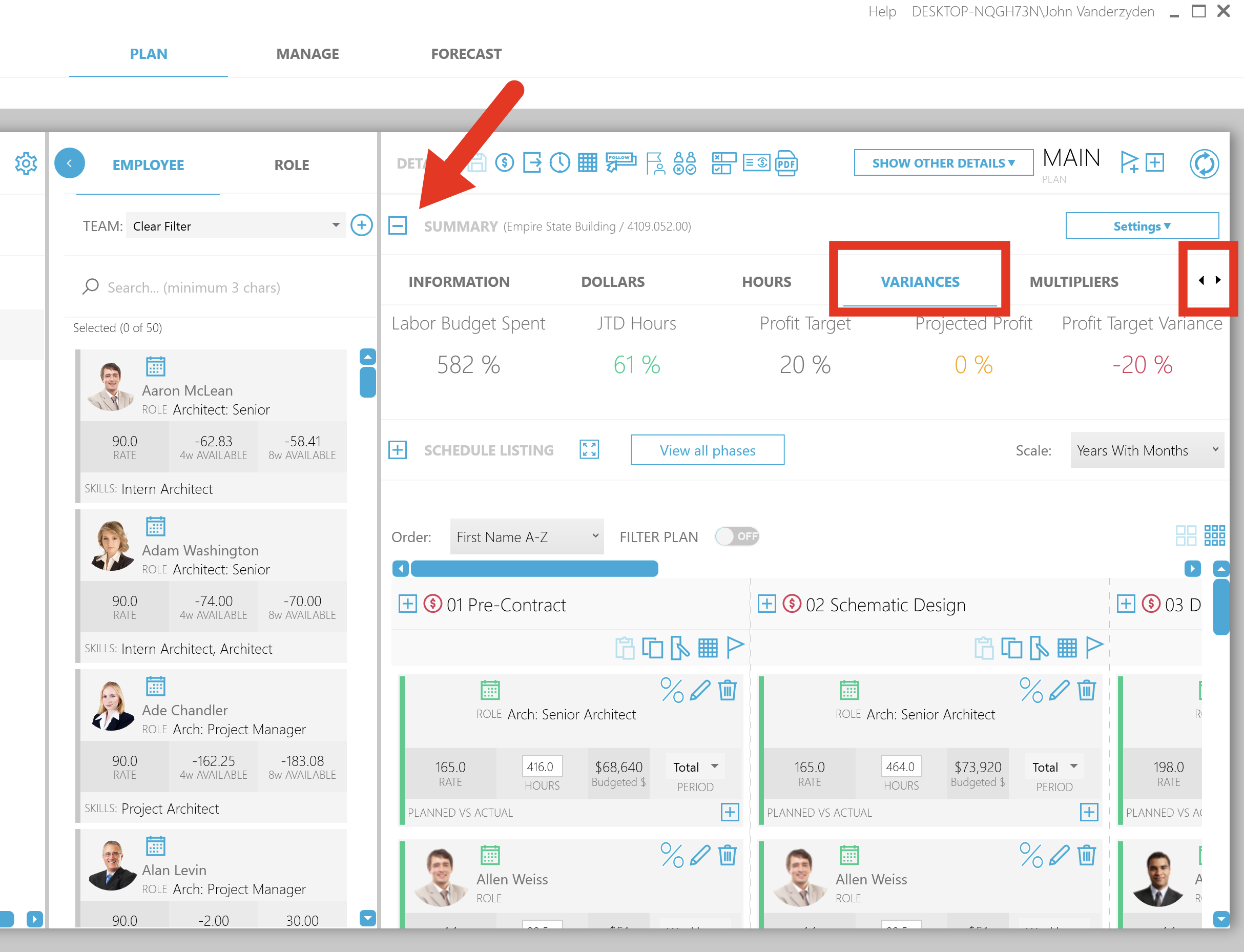
The Project Summary section displays additional information about the project you are planning.
| NOTE: Not all users or all firms will use all metrics. Metrics available to you set up by your Planifi system administrator. |
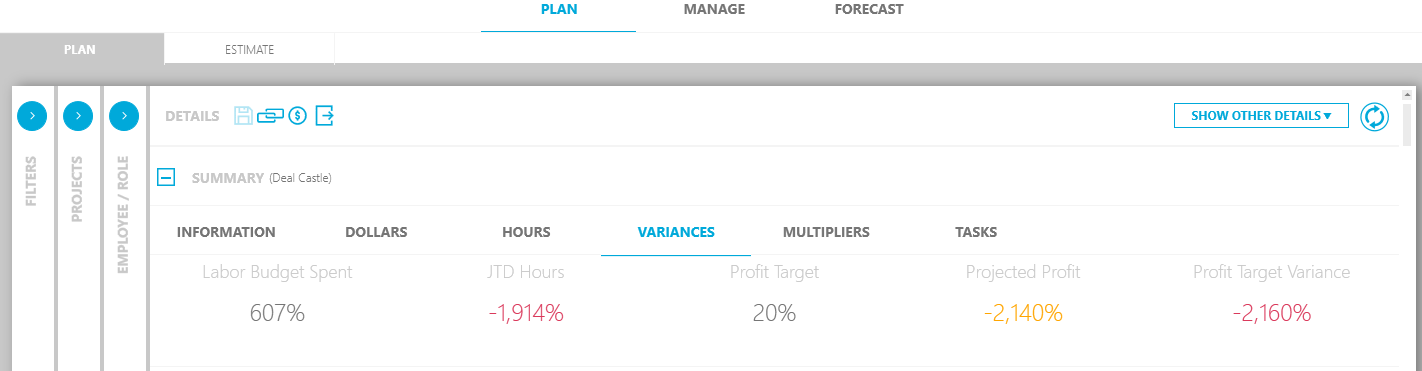
These are some of the key values and measures in the project summary. Use the small left- and right-arrows in the upper-right corner to see more measures.
Labor budget spent
The formula is JTD Labor/Labor Fee. This shows as a percent the amount of labor spent to date of the total fee available.
JTD Hours
This value is the result of the calculation: (JTD Hours - JTD Planned)/JTD Planned Hours. This shows the percent of hours spent as a total of total hours planned.
Profit Target
If desired, your firm may show the profit target. The default profit target is 20% and serves as a comparison with the Projected Profit column. Users with permission can change the default profit in settings under Settings > Default Profit.
Projected Profit
This value is the result of this calculation: ((JTD + ETC @Bill rate) – (JTD + ETC @ Burden/Overhead Cost))/Fee Labor.
|
NOTE: Other calculations may be possible. Contact your Planifi system administrator to change this calculation:
|
Profit Target Variance
This is simply the Projected Profit – Profit Target.